Employees are using AI. Business leaders are asking: Is company information protected? How do we roll this out across the team? Will it deliver business value?
Business leaders need more than access to another model. They need to protect information, manage employee use, control spending, and put AI to work across the business.
Workspace answers each one.
Protect business information.
Personal data is tokenized before AI calls and restored in the response. Company data is isolated; AI calls and admin actions are logged.
Roll out with control.
Invited employees start as standard users. Admins can restrict models, assign Agent Admins, and manage agent access by group.
Keep spending predictable.
Included monthly credits set the starting limit. Usage pauses at that limit. Admins can opt into extra usage with a ceiling and auto-reload.
How it works
From everyday questions to finished work
Workspace moves your team from individual experimentation to a managed rollout. Three steps cover most of the work.
01
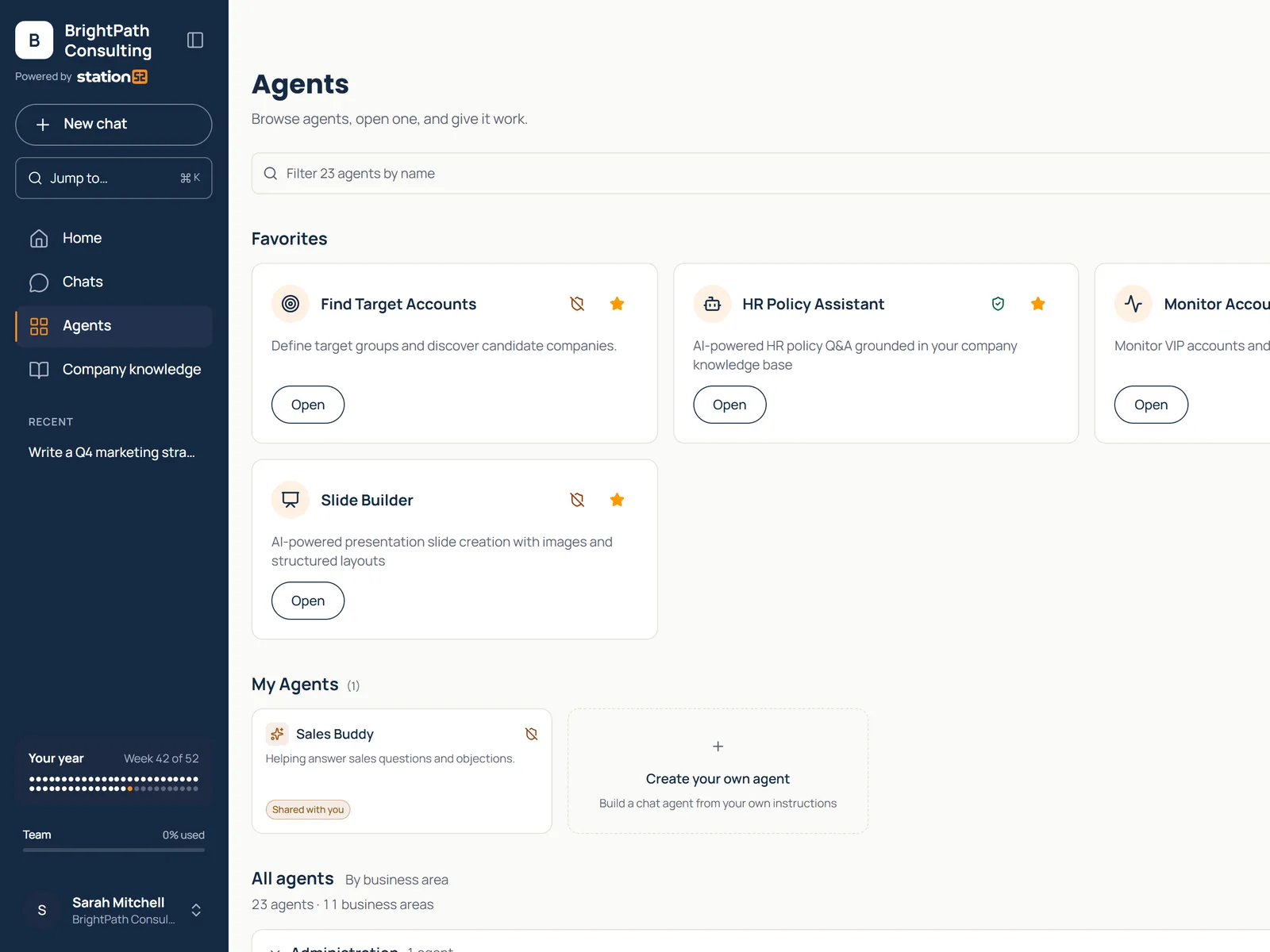
Start in one place.
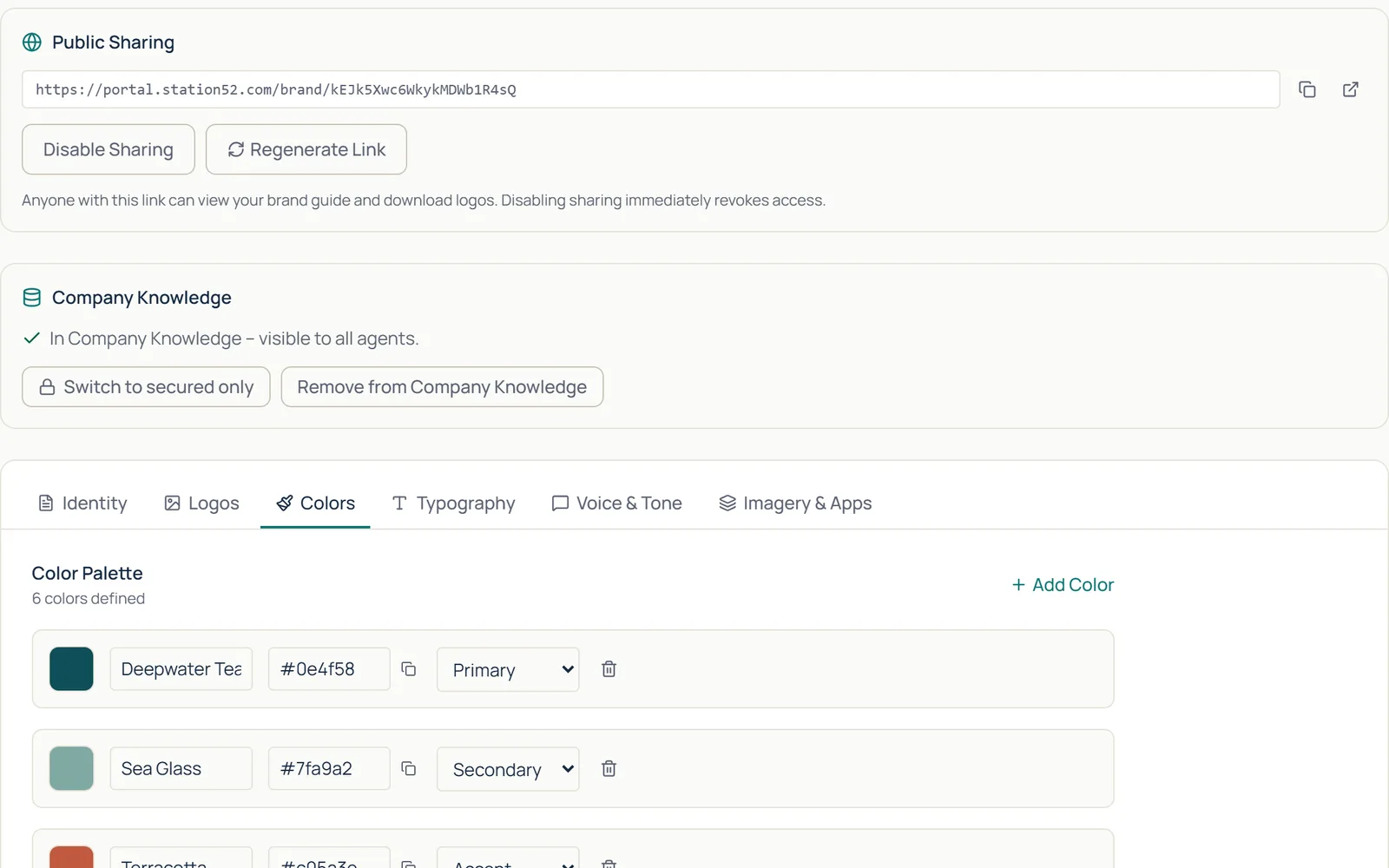
People open one workspace instead of a separate app per task. Brand guidelines, handbooks, and policies live there too, so outputs sound like your company and answers cite your documents.
A published brand guide in company knowledge, visible to every agent.
02
Find an agent for the task.
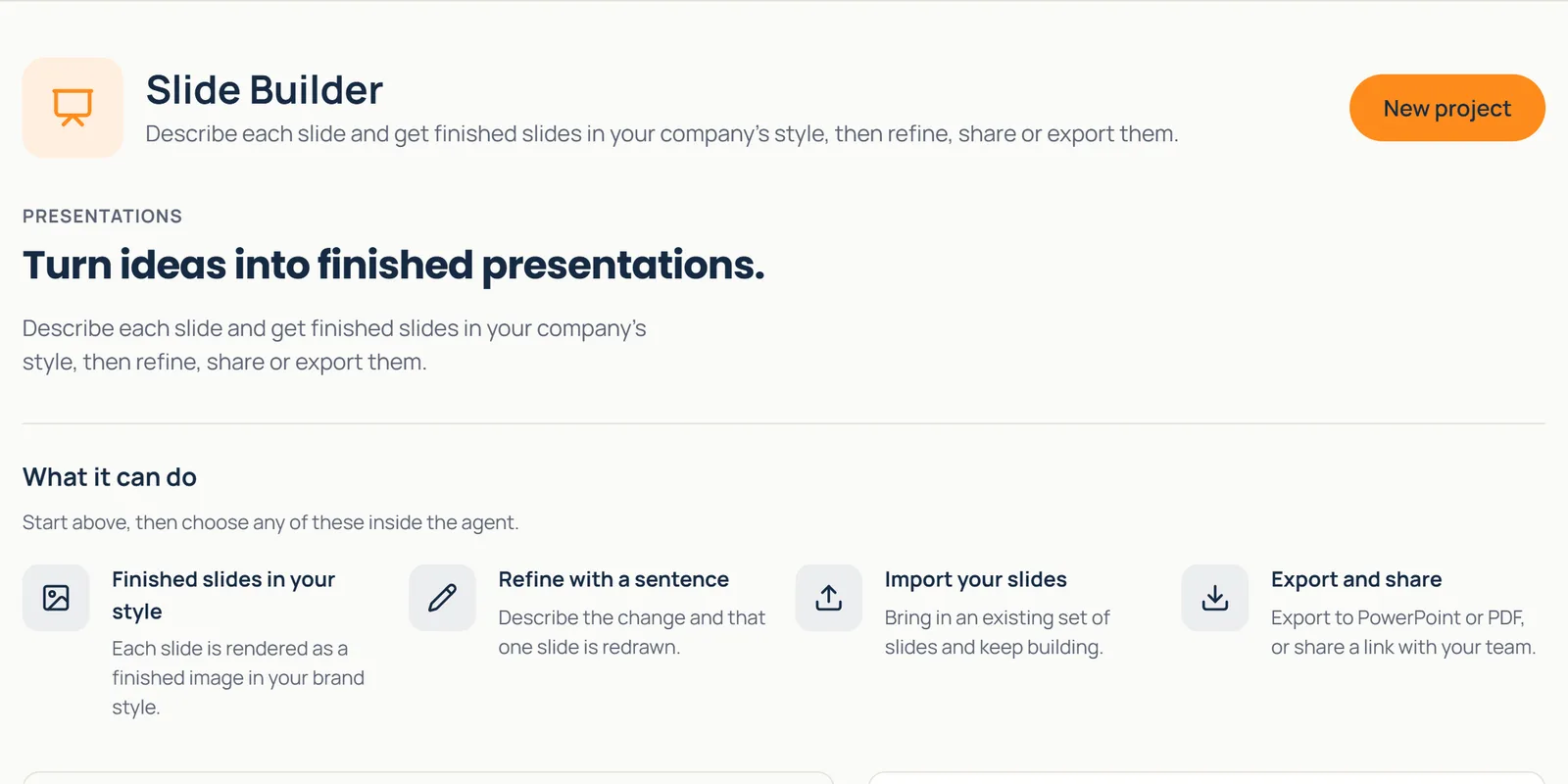
Pick the job, such as a deck, a cleaned lead list, or a contract review. Each agent opens on what it does and how to start, and it does the prompting, so your people do not have to.
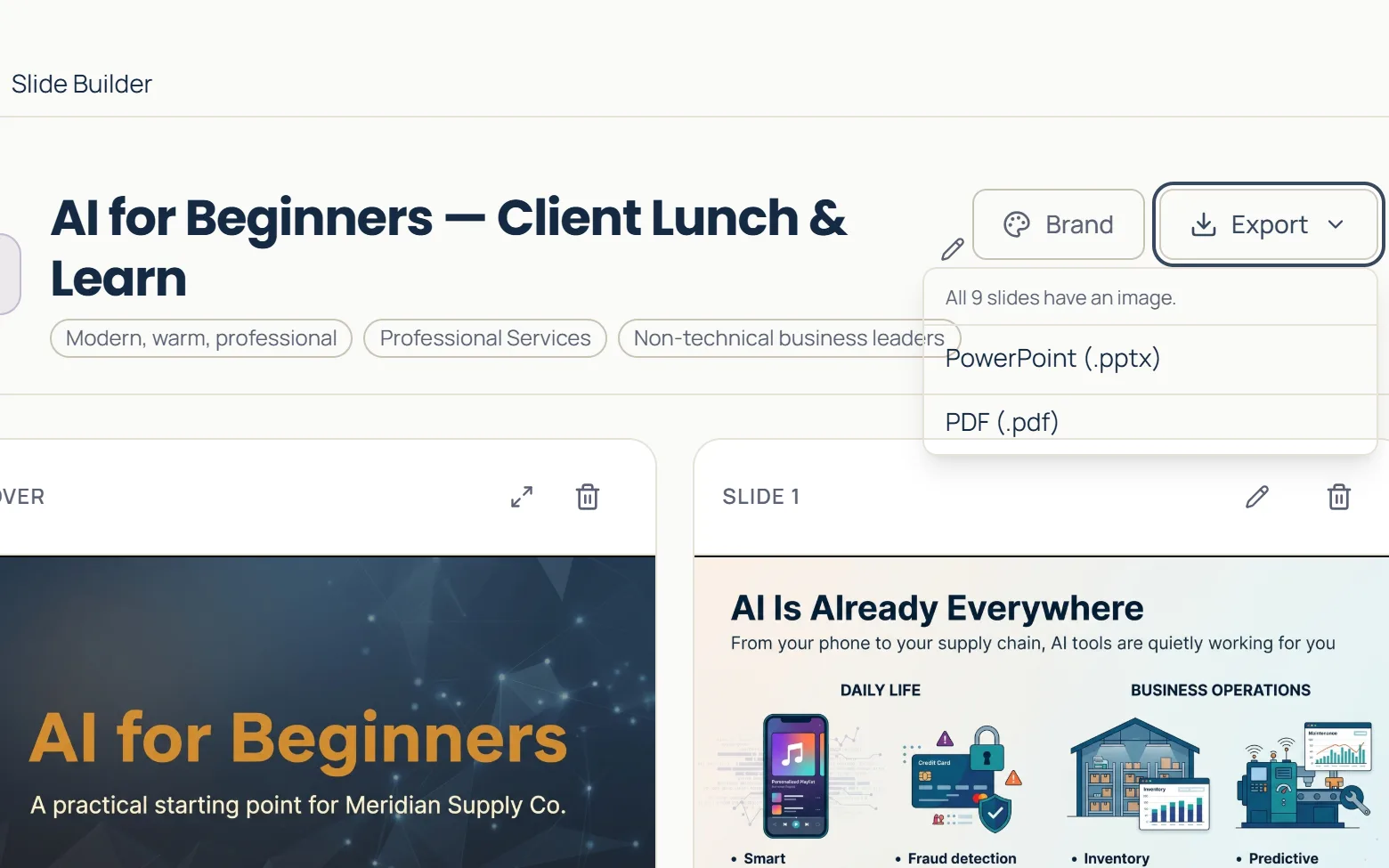
Slide Builder opens on what it does and one place to start: New project.
03
Chat, review, and use the output.
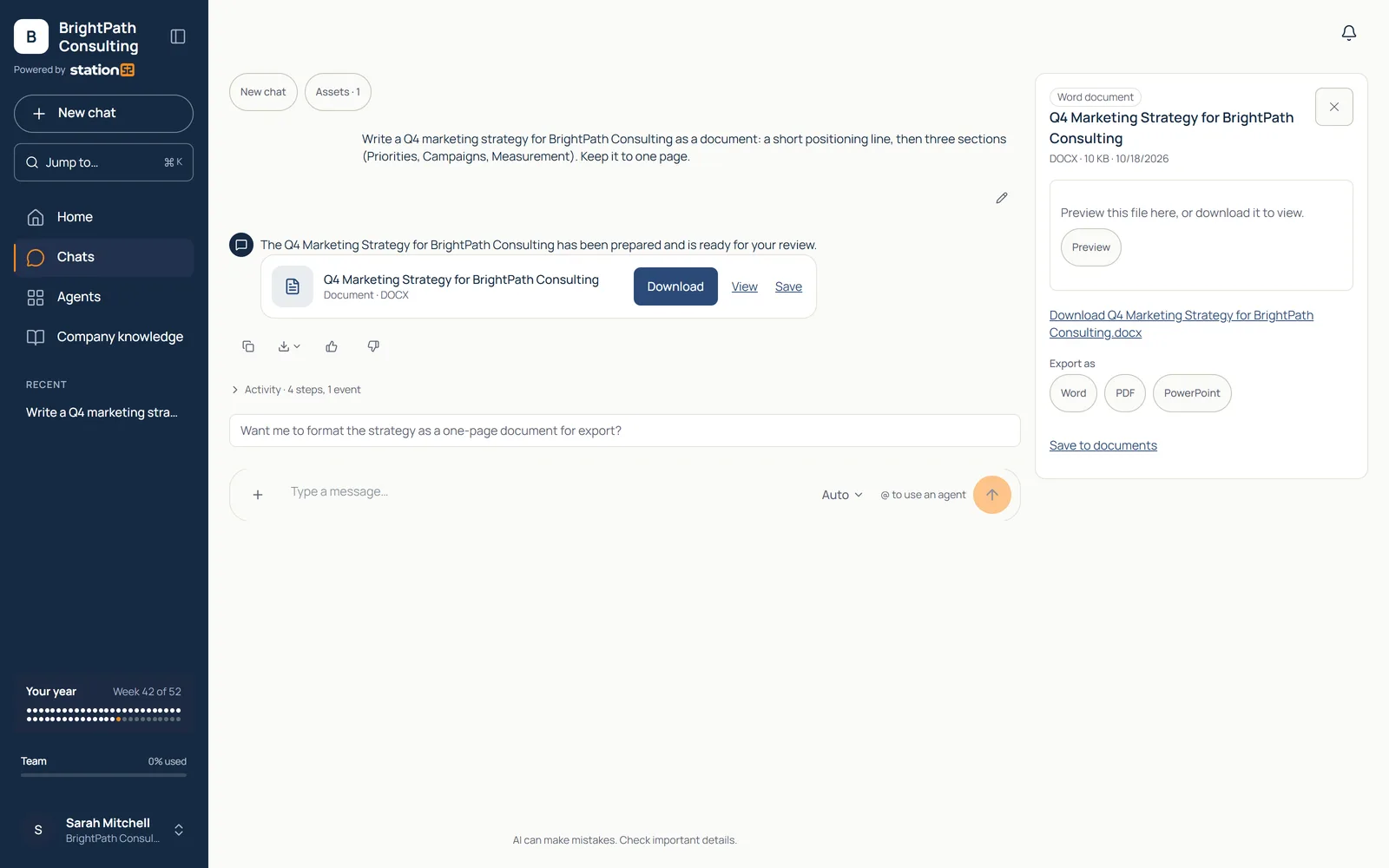
Work through the chat and walk away with a real deliverable: a document to export as Word, PDF, or PowerPoint, a deck you can present, a cleaned spreadsheet. Not a draft you rebuild somewhere else.
A finished Word document beside the chat, ready to download or export as PDF or PowerPoint.
The jobs
Pick the job. The agent is ready.
Every agent is built around a task people already do every week. Here are ten of the agents in the catalog, and what each one hands back.
Marketing · Slide Builder
Build the presentation
Describe each slide and get finished slides in your company's style, then refine, share, or export to PowerPoint.
Outcome
Nine finished slides, every one with an image, ready as .pptx or .pdf.
Legal · Legal Review
Review the contract
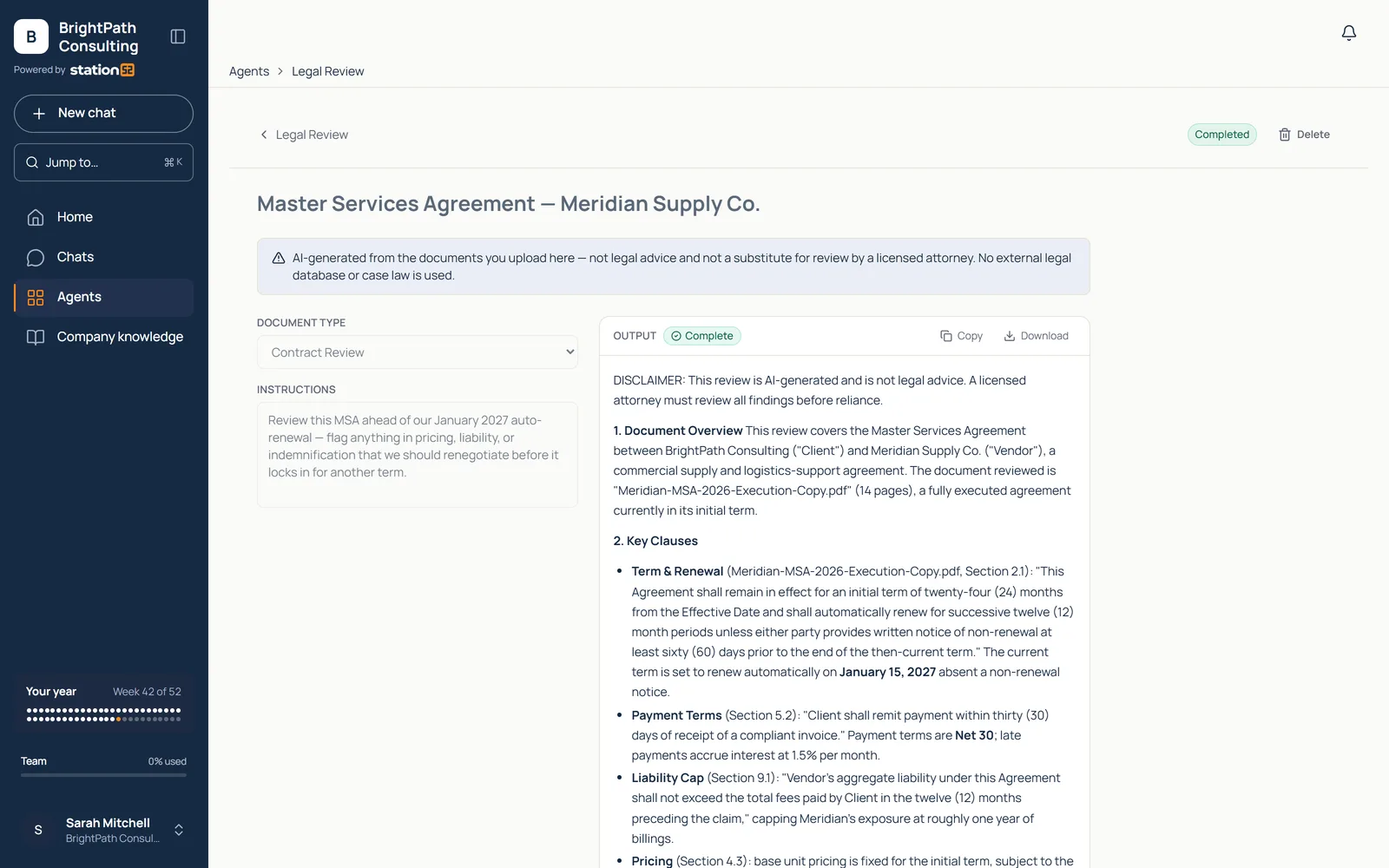
Review contracts for summaries, key terms, obligations, renewal details, payment terms, and risk flags.
Outcome
Helps non-lawyers understand major issues before escalating to counsel.
Sales · ICP Builder
Research the prospects
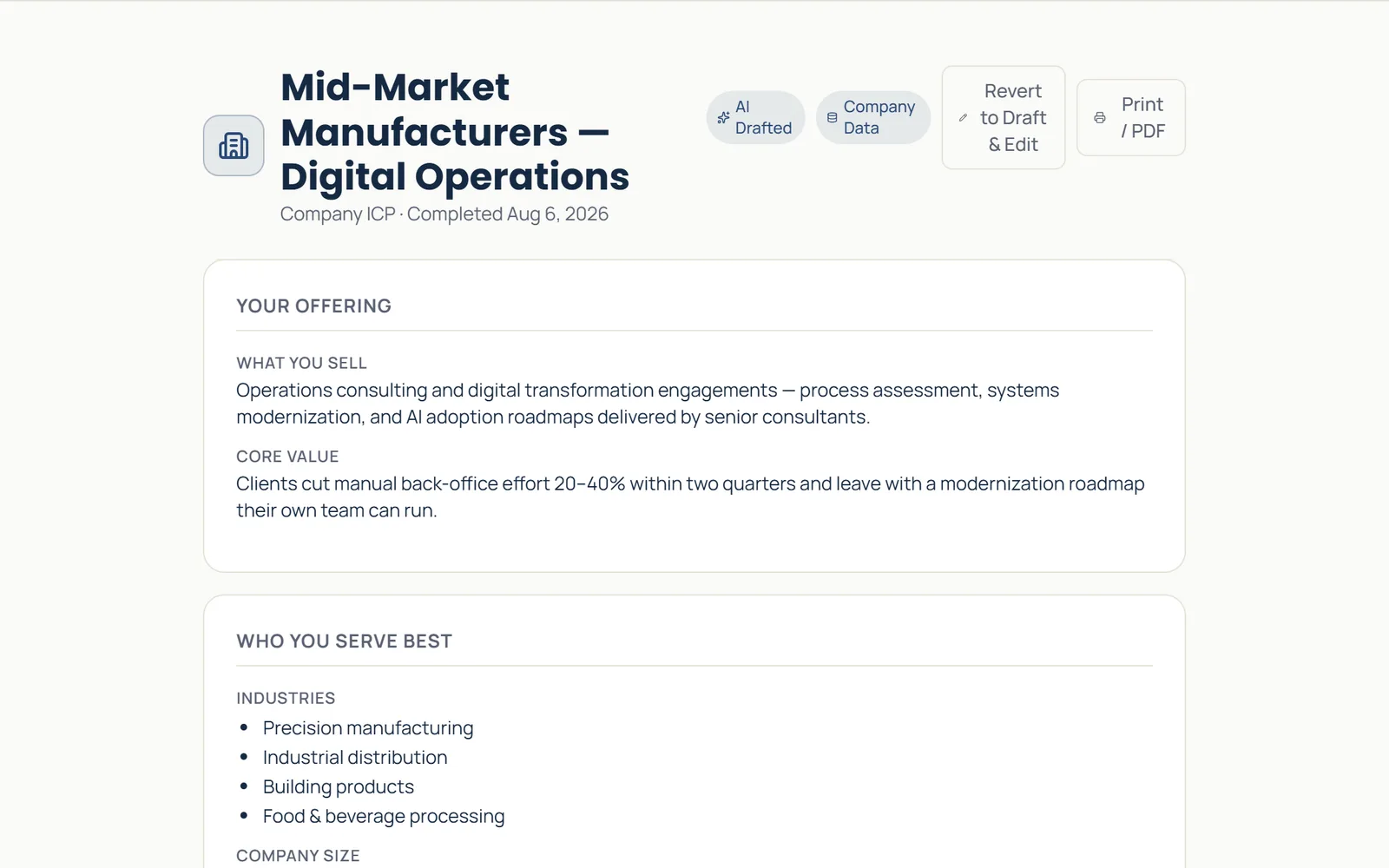
A researched ideal-customer profile, with segments, signals, and target-account guidance built from your company data.
Outcome
A completed ICP brief your sales team can act on, not a generic persona.
Sales · Lead Scrubber
Clean the lead list
Clean uploaded lead spreadsheets, map columns, enrich accounts and contacts, and export cleaner campaign data.
Outcome
58 trade-show contacts grouped into 24 companies, ready to review before CRM import.
Strategy · Transcript Intelligence
Analyze the meeting
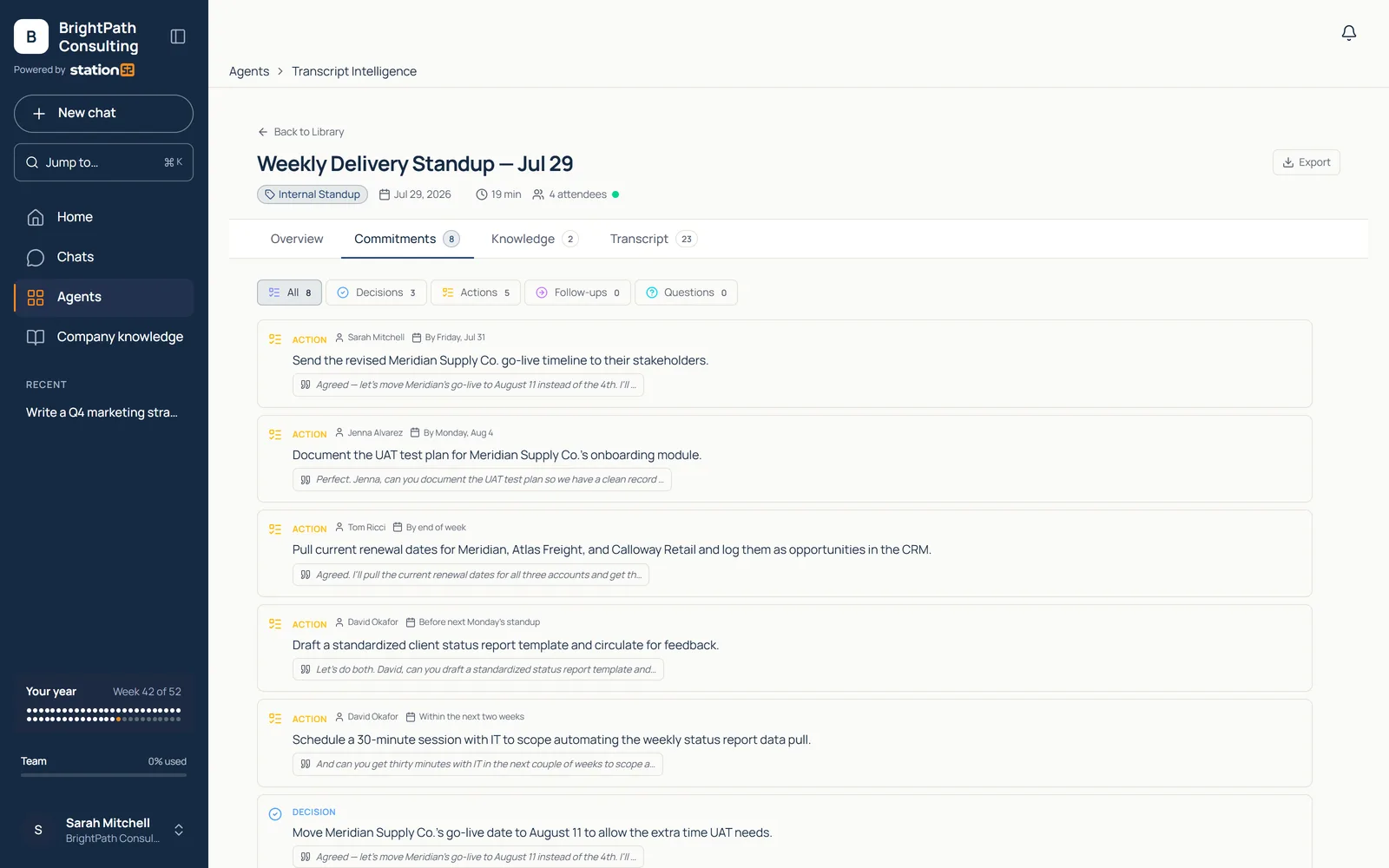
Turn a transcript into a summary, key moments, commitments, and reusable knowledge.
Outcome
Eight commitments captured from one call. Nothing rides on someone's notes.
Strategy · AI Opportunity
Identify the AI opportunity
Capture, score, and track AI opportunities, with value, feasibility, and stage in one register.
Outcome
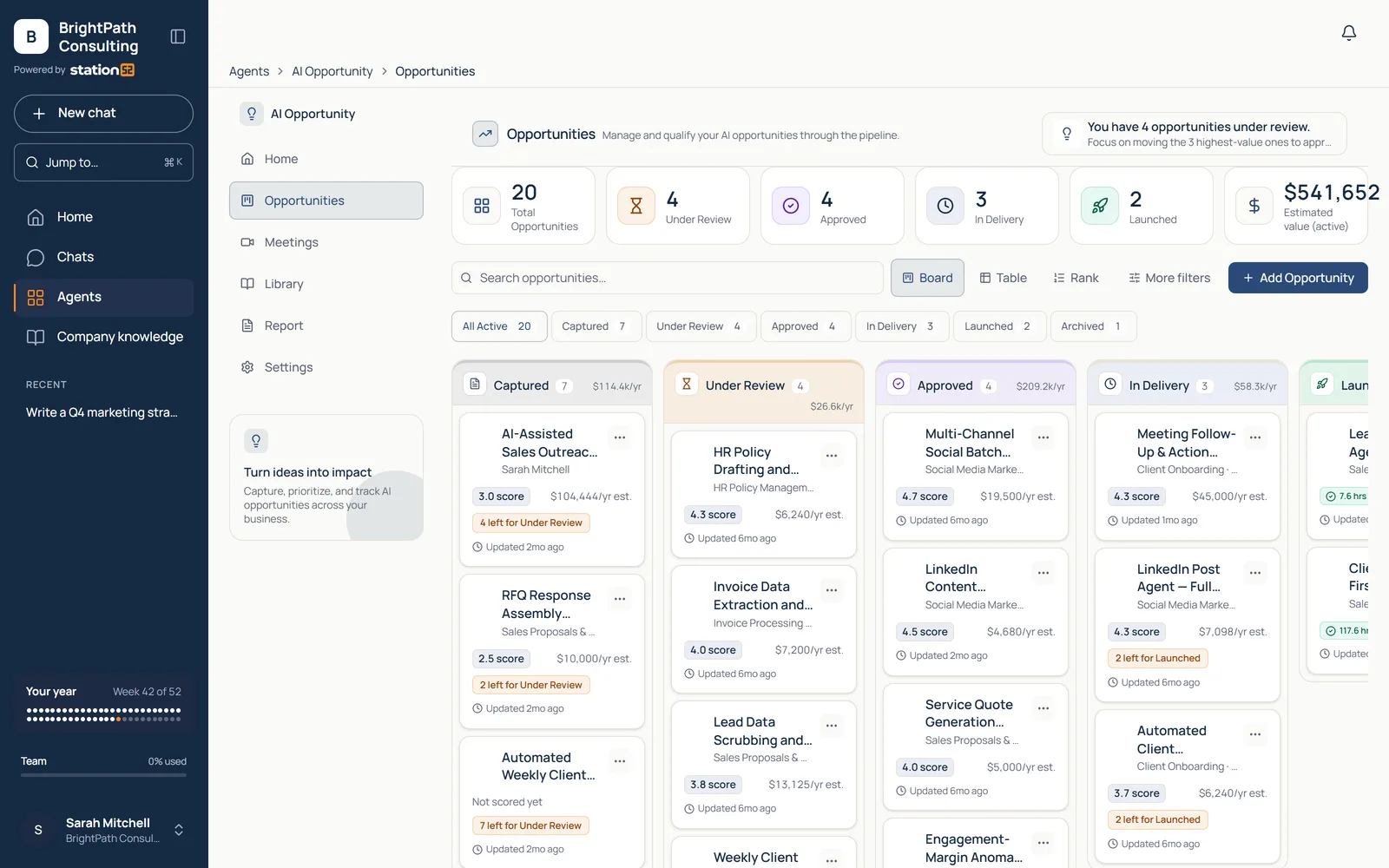
Twenty scored opportunities with dollar values: AI run like a portfolio, not a guess.
Policy · Policy Builder
Create the policy
Draft complete organizational policies, structured, sourced, and ready for legal or leadership review.
Outcome
A finished policy document, not an outline you still have to write.
HR · HR Policy Assistant
Answer the HR question
Employees ask a chatbot trained on your policy documents and get answers with section citations, instead of emailing HR.
Outcome
The answer cites the handbook section, with sources on the record.
Social Media · LinkedIn Post Generator
Ship the social post
Turn a topic into a complete LinkedIn post, copy plus image, and publish once your account is connected.
Outcome
A steady social cadence without a designer or agency in the loop.
Administration · Advanced Data Reporting
Produce the report
Describe the report in plain language and get an executive-ready report. CRM and data integrations plug live data in on Enterprise.
Outcome
A quarterly portfolio-health report with summary and charts, generated rather than assembled.
Also in the catalog: Brand Guide, Prompt Builder, Legal Drafting, Legal Email, AI Readiness Assessment, CAPA Tracker, Find Target Accounts, Find Account Contacts, Monitor Accounts, Lead Management, Job Posting Analyzer, Marketing Email Builder, Video Script Builder, Service Quote, Facebook Post Generator, Instagram Post Generator, X Post Generator, TikTok Post Generator, Chat Studio, Agent Builder.
Every plan includes every agent. CAPA Tracker and Advanced Data Reporting are on Team and above.
Agent categories
Business Starter
Chat
Agent Builder
Advisory
Quality
Sales
Reporting
Content and quotes
Legal
Chat Studio
The most-used tool alongside the Business Starter Pack. Chat with web search, file reading, deep research, image generation, and document creation, with company knowledge available to every chat. @mention reaches the agents your own team builds with Agent Builder.
Every team
Every team gets more done.
Employees gain capabilities they wouldn't otherwise have on hand, without adding another specialized application for every task.
Sales
Research accounts, clean lists, and show up with the deck.
ICP Builder
Lead Scrubber
Slide Builder
Marketing
Brand-true content, produced at a steady cadence.
Brand Guide
LinkedIn Post Generator
Prompt Builder
HR
Policy expertise on demand: writing it and answering it.
Policy Builder
HR Policy Assistant
Legal
Contract review and drafting help before counsel gets involved.
Legal Review
Legal Drafting
Operations
Meetings and processes turned into documented action.
Transcript Intelligence
Policy Builder
Leadership
Analysis, reporting, and a portfolio view of AI itself.
Advanced Data Reporting
AI Opportunity
Transcript Intelligence
A week in the workspace
What a week of real work looks like
Track 1
Turn a trade-show list into a campaign
A messy spreadsheet of scanned badges becomes cleaned, enriched accounts before it touches your CRM. Then the same team builds the deck and the follow-up posts.
Lead Scrubber
ICP Builder
Slide Builder
LinkedIn Post Generator
Track 2
Answer contracts and policy questions in-house
Review an MSA for renewal traps and payment terms before it goes to counsel. Let employees ask the handbook their PTO questions instead of emailing HR.
Legal Review
HR Policy Assistant
Track 3
Run AI like an operation, not an experiment
Turn meeting transcripts into candidate workflows, see who uses what, and roll agents out team by team with usage and cost visible.
Transcript Intelligence
AI Opportunity
Advanced Data Reporting
Programs
Programs that run on Workspace
Three specialized agents do the analysis and produce the deliverables for an AI program, so your leaders spend more time deciding and less time writing reports.
Assess · AI Readiness Assessment
Run a readiness assessment
Invite leadership and staff by group link to a resumable survey of about 40 questions. Score eight dimensions spanning strategy, data, technology, processes, people, skills, responsible AI, and use cases.
What you get
Each participant receives a sponsor-branded web report and PDF with a verdict, three priorities, a 30-60-90 day plan, benchmarks, and charts.
Govern · AI Policy agent
Draft and maintain AI policies
Draft from 24 templates, including 10 AI policies, with four questions per policy. Keep revisions and uploaded existing policies in one versioned library.
What you get
Share with external reviewers, export to Word, and publish approved policies to Company Knowledge so agents use your rules as guidance.
Identify and manage · AI Opportunity agent
Rank and track AI opportunities
Extract ideas from meeting transcripts or add them manually. Rank on seven weighted dimensions: value, effort, readiness, alignment, risk, system change, and confidence. Manage seven delivery stages with activity history.
What you get
Record estimated annual value, hours saved, cost, and actual value delivered. Export QBR reports to PDF, CSV, or email.
Readiness shows where to start. Policies set the guardrails. Opportunity management keeps the program moving.
All three use the same platform protections and audit foundation. AI Opportunity records the value estimates and results you supply; you define the outcome measures.
For whoever runs it
Business controls. Technical depth.
A shared security foundation across chat, documents, memory, and agents, with identity and audit controls for business deployment.
Protection at the gateway
Detected personal data is replaced with tokens before prompts reach a model and restored only in the authorized user’s response. If PII protection fails, the request is blocked, logged, and alerted.
Protect data before use and storage.
Personal data stays out of the model, in prompts, files, and memory.
Sixteen PII types are enforced, including tax identifiers, IBANs, cards, and email; documents also cover phone and date of birth. Card data is masked; expiry and CVV are stripped. Financial figures in tables are preserved. Uploaded files are protected in full before AI indexing. Chat history and personal memory are tokenized before storage; shared memory is designed to prevent cross-user PII exposure.
Keep original values behind the vault.
Original values stay encrypted and are restored only for defined purposes.
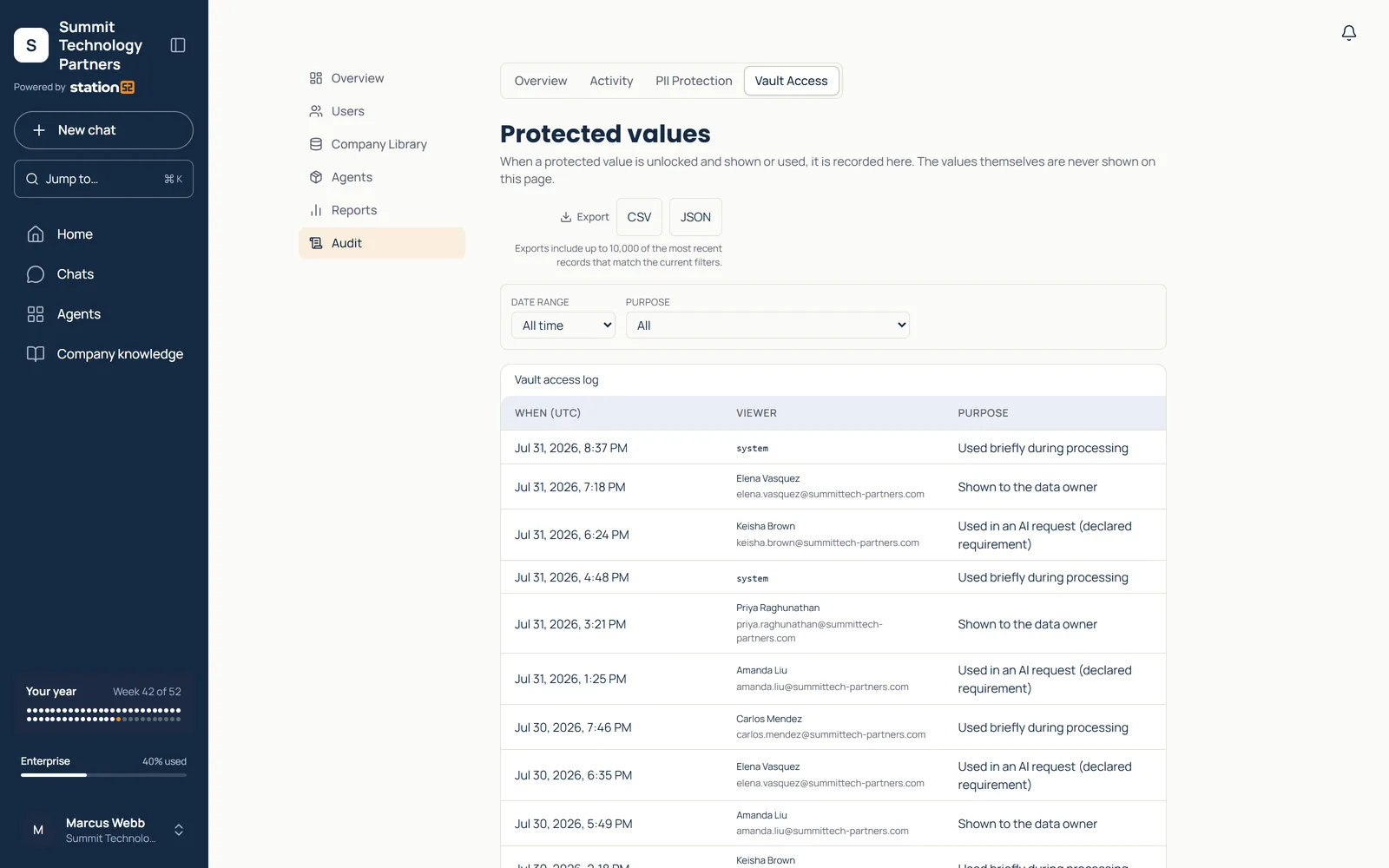
Original values use AES-256-GCM encryption with tenant-scoped hashes: the same email produces different tokens in different companies. Vault access is server-only; restoration is limited to four defined code purposes. There is no admin decrypt screen. Integration credentials also use AES-256-GCM, with versioned keys.
The vault access log records each time a protected value is used, and why.
Enforce isolation beyond the browser.
Your company’s data stays separate from every other company’s.
Postgres row-level security separates tenants. Live canaries alert on account mismatches. Server-side checks validate sessions, plans, entitlements, and roles on agent and admin routes. Database triggers guard billing, credit, and privacy/audit fields against direct API changes. More than 100 security tests run on every change; regression checks cover gateway routing, tenancy, and vault access controls.
Connect identity and manage access.
Use the sign-in your company already has, and decide who gets what.
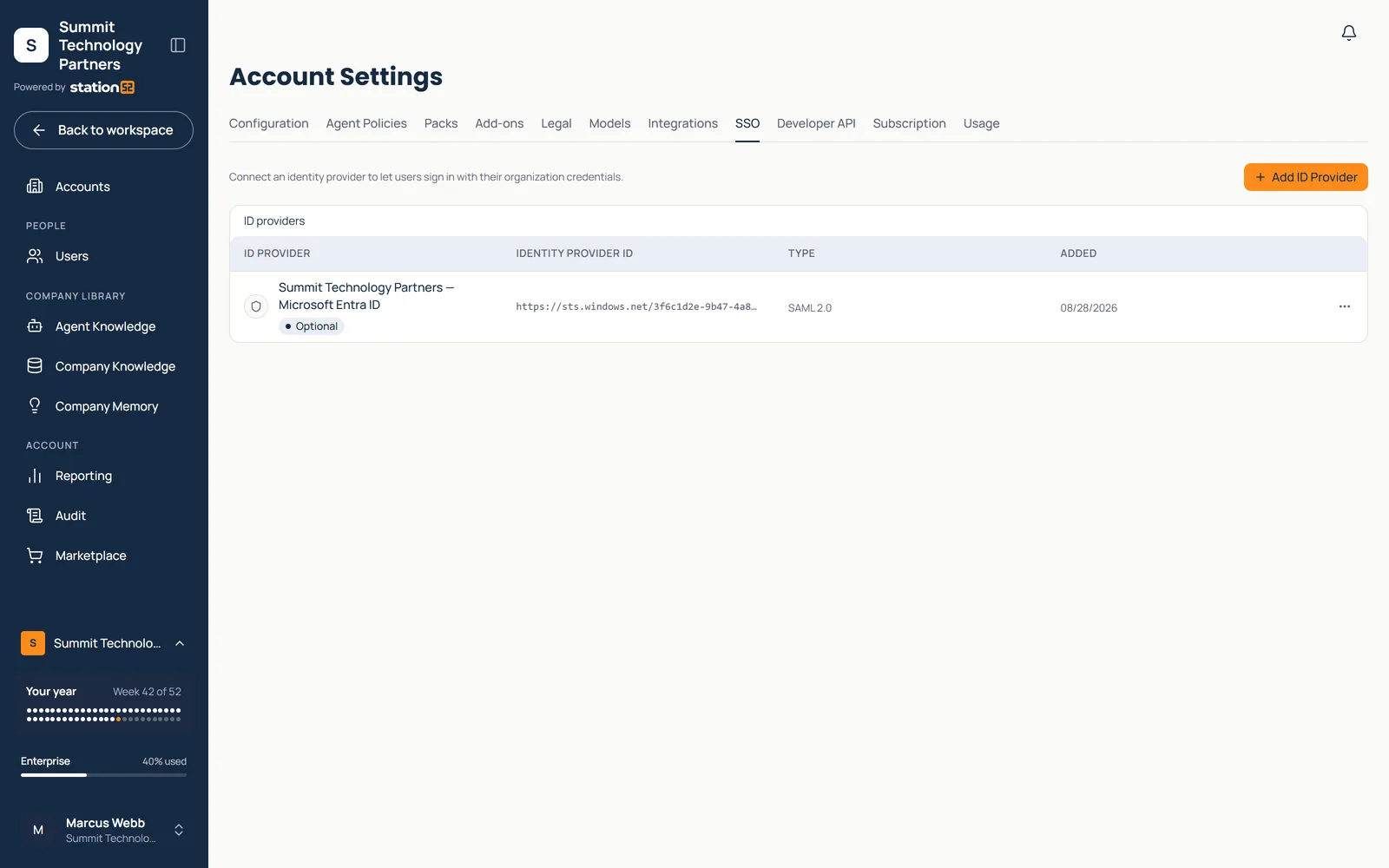
Per-tenant SAML and OIDC support Entra ID, Okta, Duo, Google Workspace, and generic SAML. Enforce SSO and route sign-in by email domain. Directory sync provisions users through Google Workspace or Microsoft Graph; Google uses read-only scopes and daily sync. Admins can restrict models, assign roles and groups, and manage agent access. Included credits cap usage; extra usage requires admin opt-in.
Single sign-on through Microsoft Entra ID over SAML 2.0.
Inspect activity and provider behavior.
A record of every AI call and sensitive change, ready when someone asks.
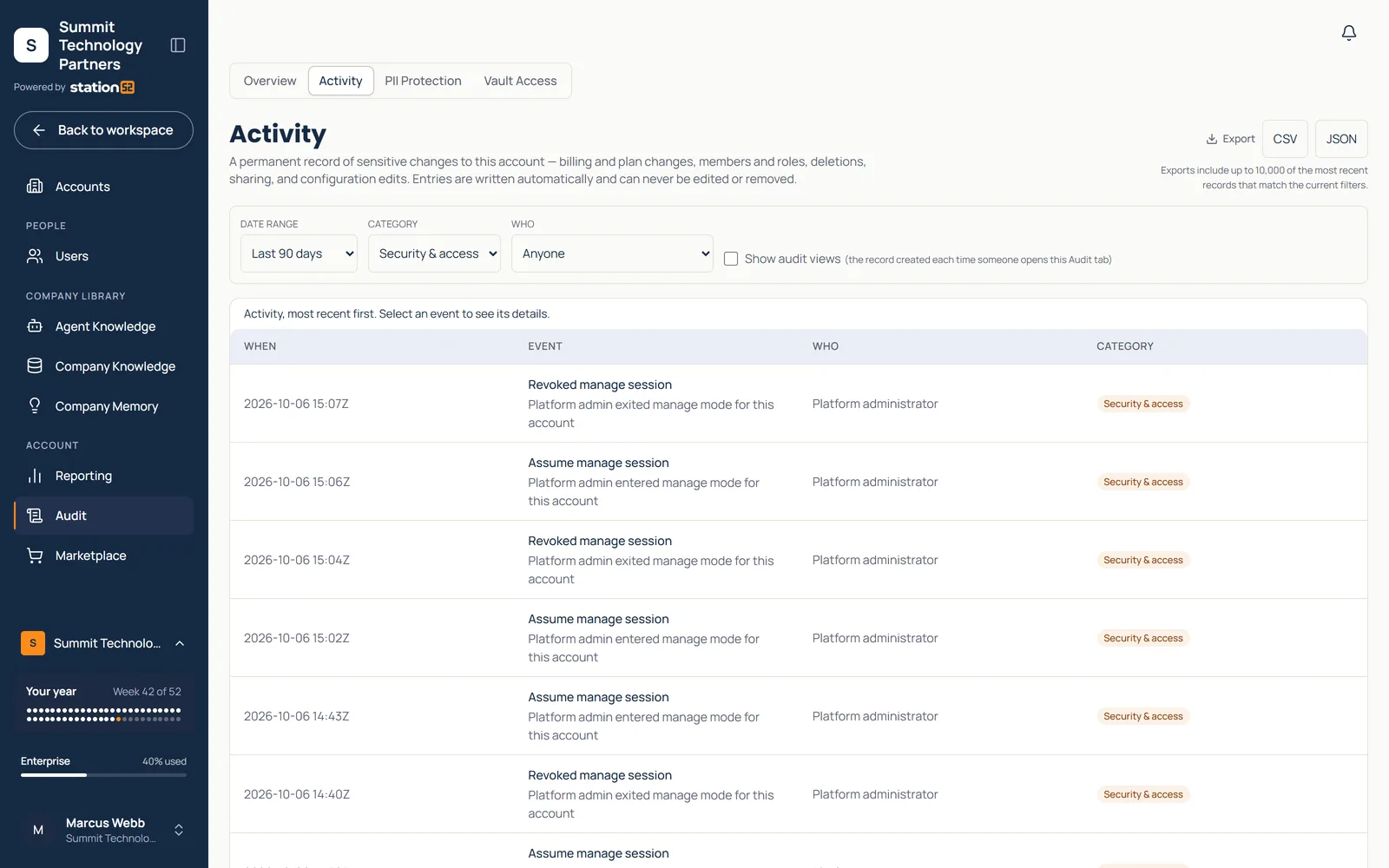
Tenant-isolated, tamper-resistant admin logs record sensitive changes with configurable retention. Every AI call, including failed and canceled calls, records whether PII protection applied. Model fallbacks are logged across six provider adapters. OpenAI response storage is turned off; provider error details stay out of the browser. The Security Audit add-on provides a proof-of-protection dashboard with export.
Extend through the API and SDK.
Connect your own systems without stepping outside the protections.
API keys are shown once, stored as hashes, individually rate-limited, and immediately revocable. Allowlisted API routes use the same database security as normal users. A typed Agent SDK and test harness provide the integration contract; agents built on it inherit the gateway, vault, and tenant isolation. Agents that bypass the vault are labeled in the interface and require an acknowledged disclosure.
A permanent record of sensitive changes, exportable as CSV or JSON.
Credits
Keep spending predictable.
Spending follows limits your admins set, not how busy the month gets.
01Included monthly credits set the starting limit.
02Usage pauses at that limit.
03Admins can opt into extra usage with a ceiling and auto-reload.
For MSPs, associations, and franchises
Built for organizations that serve organizations
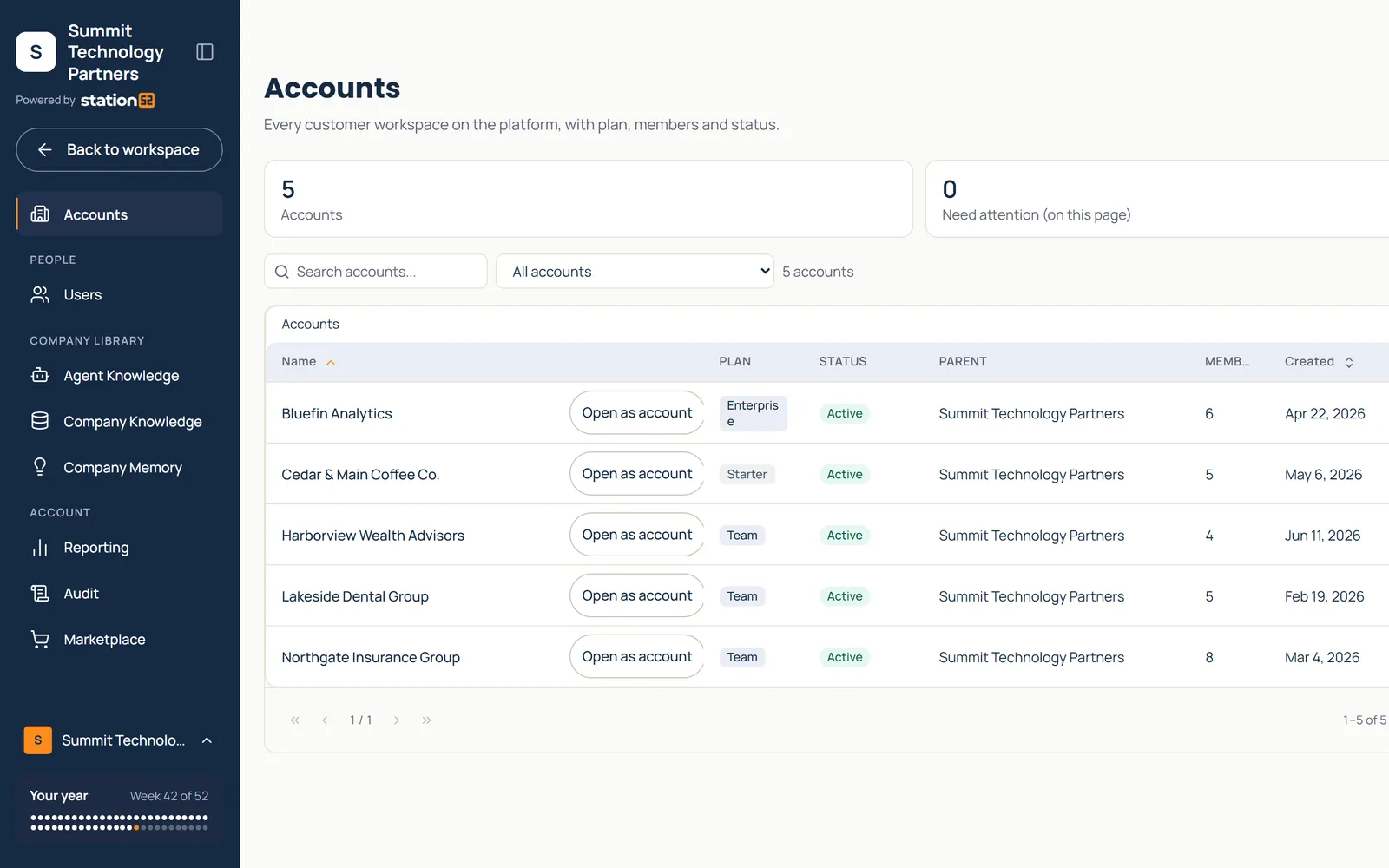
MSPs, membership organizations, franchises, and holding companies run one parent account with governed sub-accounts per client or member.
Company prompts, documents, conversations, and dashboards remain private. Organization admins manage accounts without access to member-company work.
Sidebar with the customer monogram and name, and "Powered by station52" beneath it. Demo workspace; company names are fictional.
Sub-accounts per client or member
Each tenant gets its own plan, packs, users, and usage reporting, all managed from the parent account.
You decide the catalog each tenant sees.
Agents are grouped into packs. The parent grants packs per sub-account or group; tenants request more from the marketplace, and you approve.
Questions
Common questions
Plans from $50/month for small businesses. See pricing.
Which agents come with which plan?
All of them, on every plan, except CAPA Tracker and Advanced Data Reporting, which need Team.
Where should we start?
Most small teams start with Workspace and use AI the same week, with no setup project. Pick two or three jobs that come up every week, like decks, lead lists, or HR questions, and start there.
What happens to personal data in prompts?
Detected personal data is replaced with tokens before prompts reach a model and restored only in the authorized user’s response. Original values are encrypted with AES-256-GCM behind the vault, and there is no admin decrypt screen. If PII protection fails, the request is blocked, logged, and alerted.
Can we use our own SSO?
Yes. Per-tenant SAML and OIDC support Entra ID, Okta, Duo, Google Workspace, and generic SAML. You can enforce SSO, route sign-in by email domain, and provision users through directory sync with Google Workspace or Microsoft Graph.
Is there an API?
Yes. API keys are shown once, stored as hashes, individually rate-limited, and immediately revocable. A typed Agent SDK and test harness provide the integration contract; agents built on it inherit the gateway, vault, and tenant isolation.
What changes with the Team plan?
More included usage, plus the controls a growing company needs: single sign-on, directory sync, and user and group controls. Teams usually move up when the same work keeps coming back.
When does Enterprise make sense?
When integrations, sub-accounts, or approvals matter: reporting and CRM integrations, a sub-account hierarchy, custom agent rollout, advanced governance, and managed implementation.
Why Station52 instead of direct AI model subscriptions?
Employees get one simple workspace: pick the job, answer guided questions, get the work done, with no model picking and no prompt training. The business gets what direct subscriptions do not: company knowledge, data protection at the gateway, admin controls, spending limits, and one managed gateway to the major models.
Can we manage sub-accounts for clients or members?
Yes. One parent account governs sub-accounts for each client, member, or chapter, with their own users, packs, and usage reporting. It is an Enterprise conversation: bring your account structure and we will map it with you.
Bring a real task, such as a deck, a lead list, a contract, or a policy question, and we will walk the workspace, the controls, and the rollout with you.